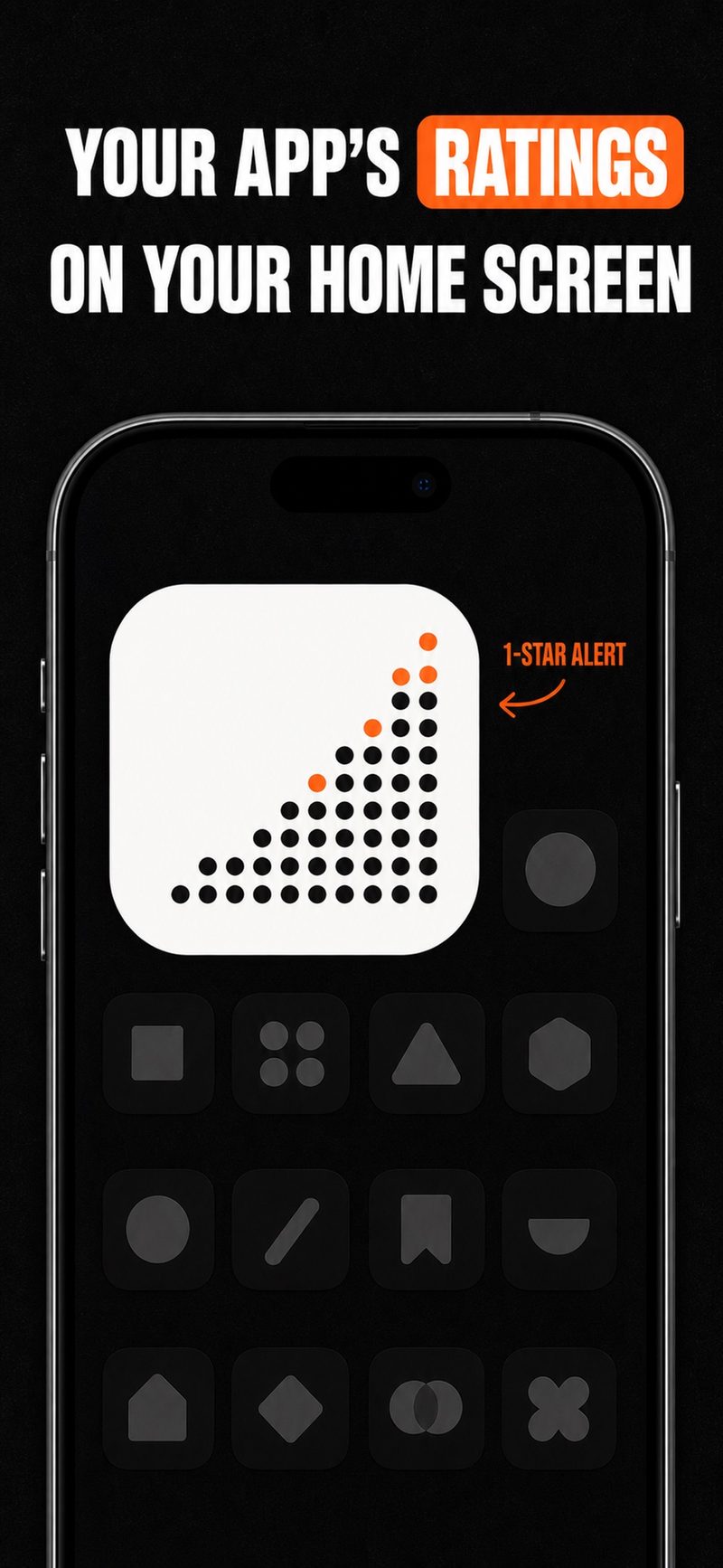
Your ratings on the Home Screen
A small widget keeps your app's ratings in view. Days when 1-star ratings went up are marked with orange dots, so a bad day stands out without opening anything. One tracked app and the widget are free.
 StarPulse
日本語
App Store rating widget for indie developers
StarPulse turns public App Store ratings into a small Home Screen widget, daily rating charts by country and 1-star alerts. You add an app by name, URL or App ID. No App Store Connect login.
Free to download. Tracking one app is free; Pro adds more apps, longer history and 1-star alerts.
Five views of the same question: is my app rating moving the wrong way?
A small widget keeps your app's ratings in view. Days when 1-star ratings went up are marked with orange dots, so a bad day stands out without opening anything. One tracked app and the widget are free.
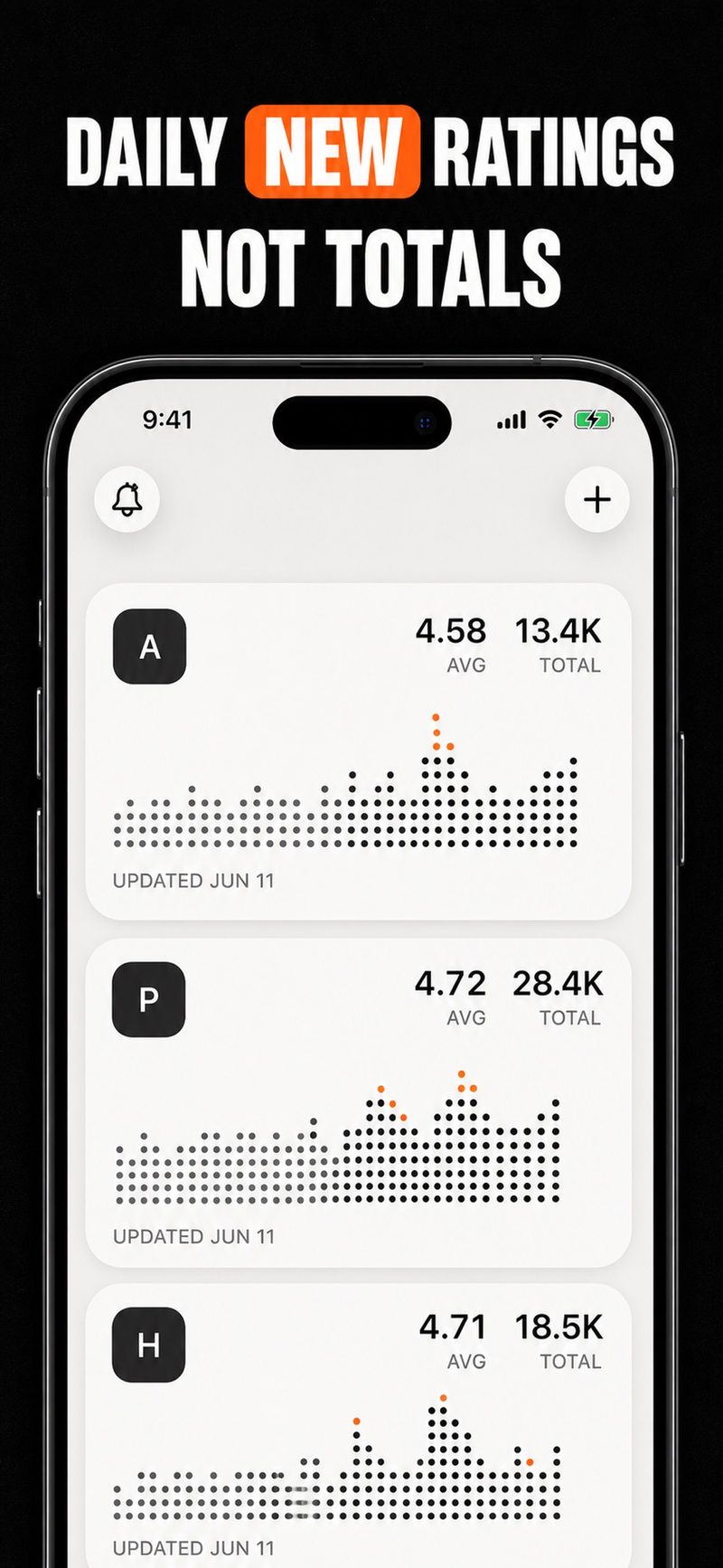
A lifetime total barely moves. StarPulse follows what is new each day, so a quiet spike or a slow slide shows up as an App Store rating trend you can actually read.
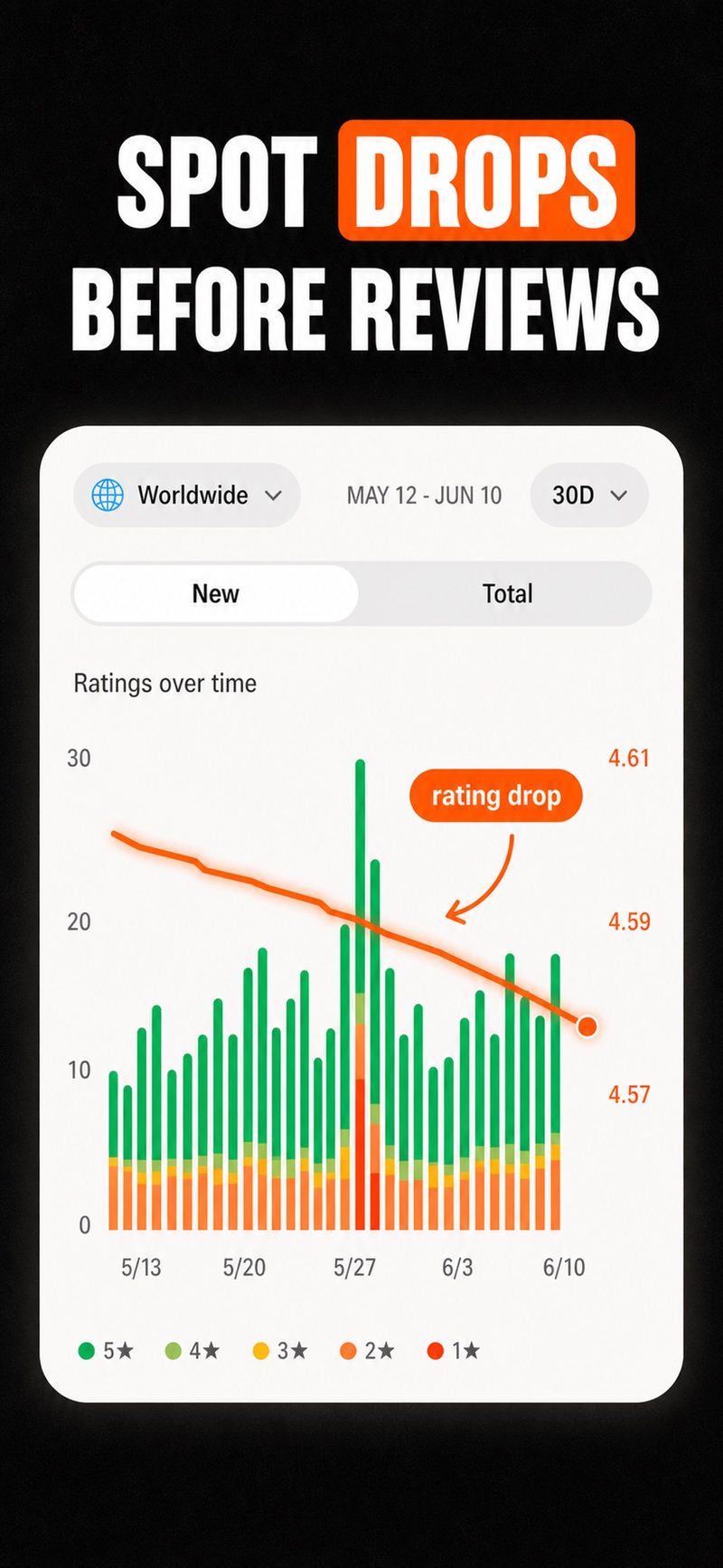
Follow how your average rating moves and see the rating mix by star on a chart. The free version covers the last 7 and 30 days; Pro adds 90 days and all time.
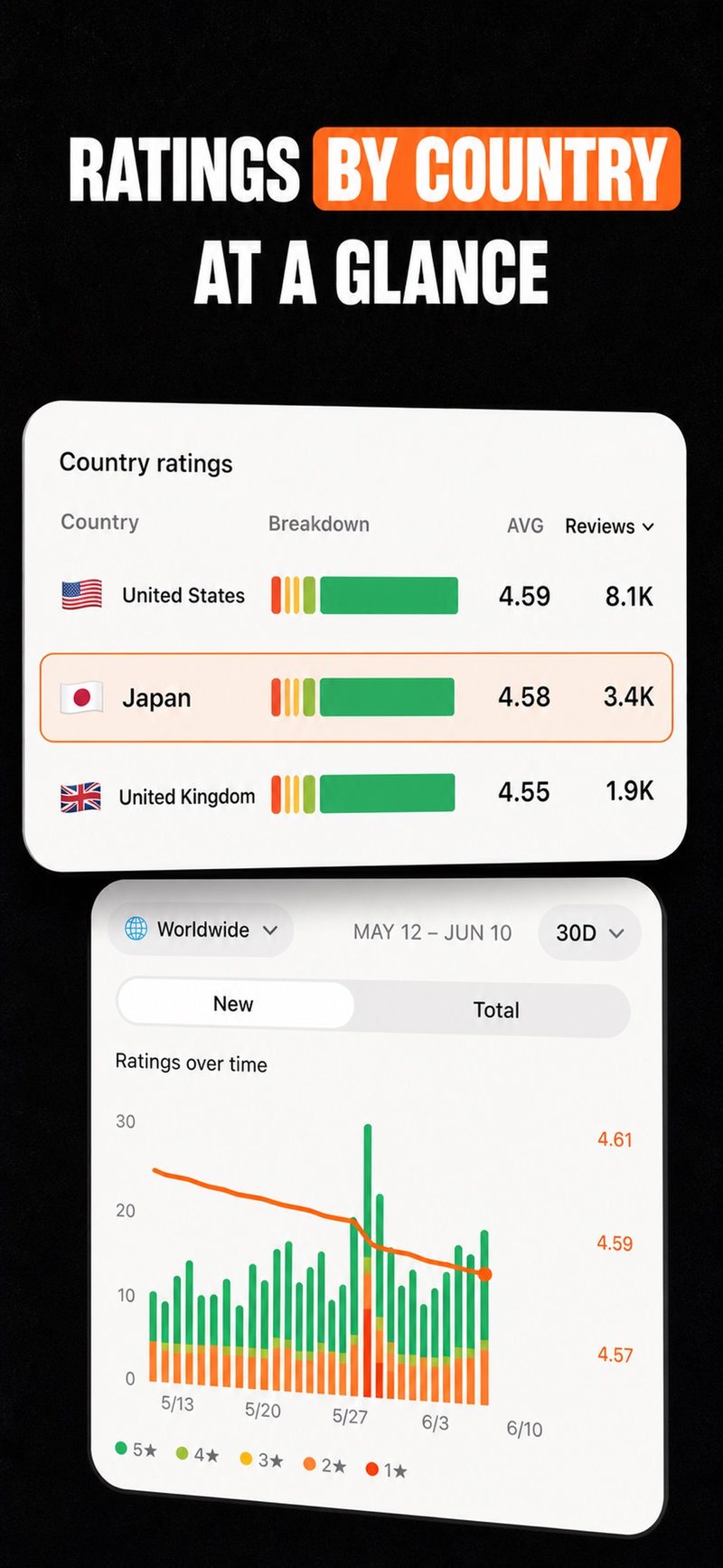
Switch between worldwide and a single country, and compare average rating and rating count side by side. A drop in one market no longer hides inside the global number.
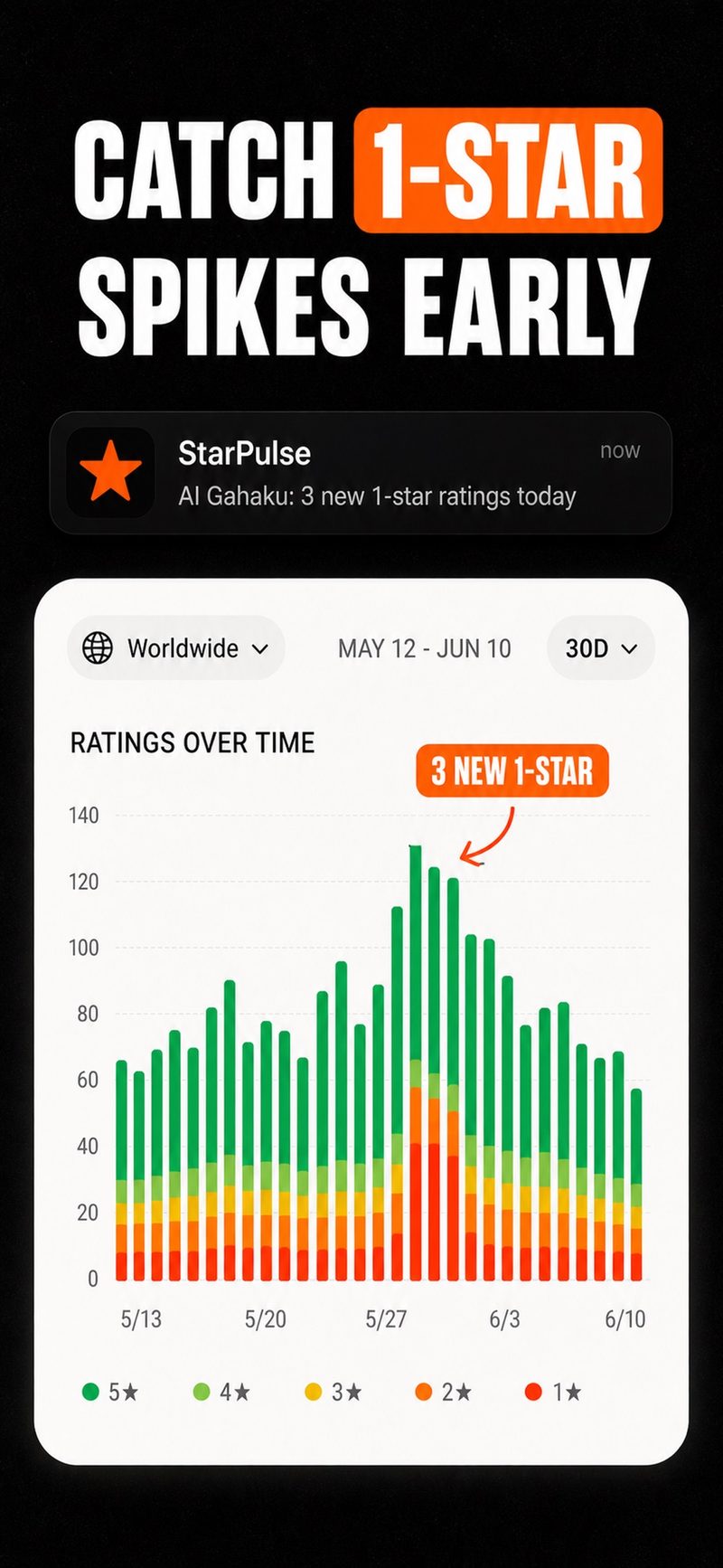
Pro can notify you when 1-star ratings increase, for example after a release. The alerts are local notifications on your iPhone.
Track your own app's ratings on your Home Screen.
Search by app name, or use an App Store URL or App ID. StarPulse reads public App Store information, so there is no login or API key.
Touch and hold your Home Screen, add StarPulse's small widget, and choose where it sits.
Look at the widget, or open the dashboard for daily new ratings and the country breakdown. An orange dot means more 1-star ratings that day.
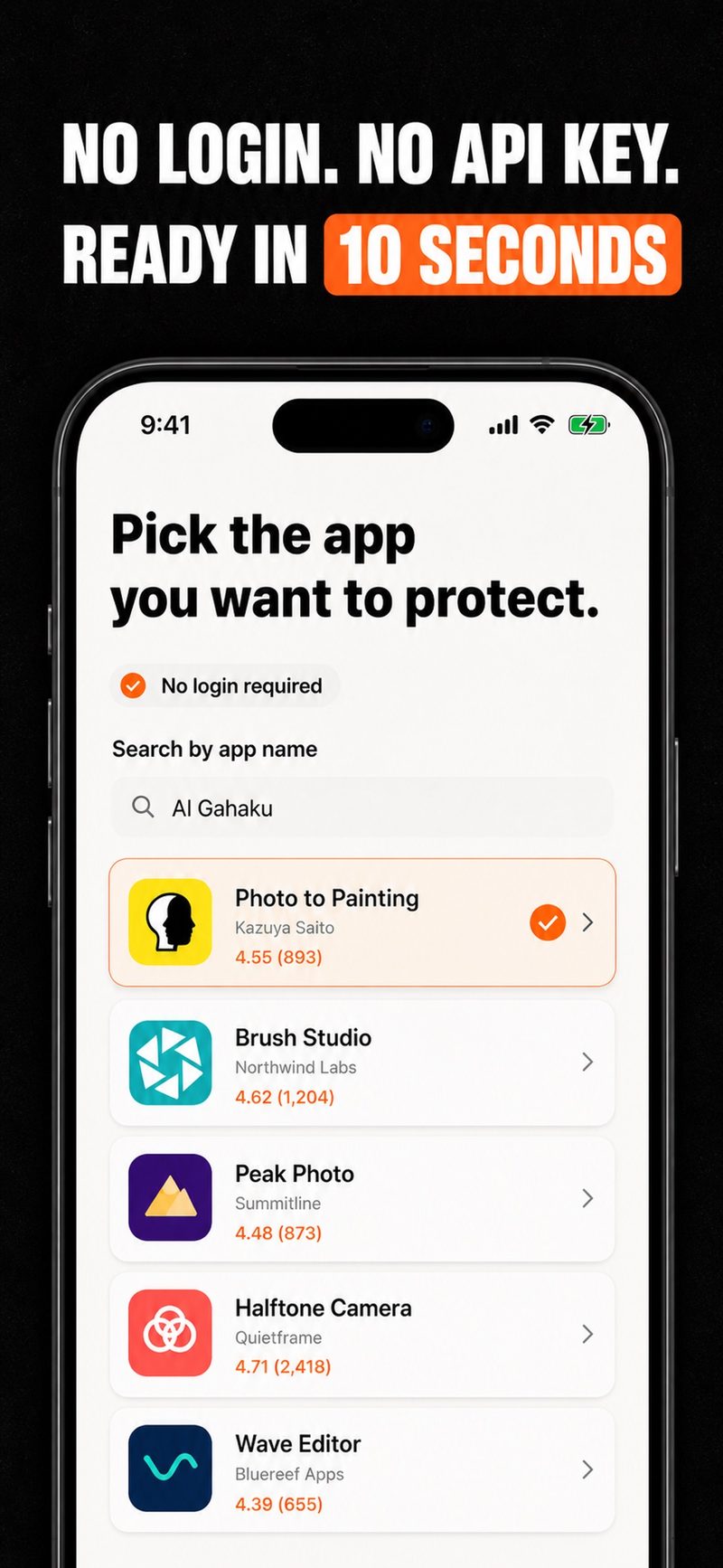
No. StarPulse works from public App Store rating information, so you can start with just an app name, App Store URL or App ID.
It is free to download. The free version tracks one app, shows the last 30 days of history and includes the widget with orange dots. Pro, an auto-renewing subscription, adds up to 20 apps, 90-day and all-time history, and 1-star increase alerts. Prices are shown in the app.
Yes. You can view worldwide numbers or a country breakdown across supported App Store markets.
No. StarPulse focuses on how your star ratings are moving. For sales, analytics and review replies, keep using App Store Connect.
iPhone with iOS 17 or later. The app is available in English and Japanese.
There is no sign-up account. Tracked apps, rating history and widget data are stored on your device. The privacy policy at the bottom of this page explains analytics, purchases and the rating cache in full.
Free to download for iPhone. Track one app for free.
Scan with your phone to open the store